

How to Use Binary to Decimal Converters Online
🧮 Learn how online binary to decimal converters simplify number conversion with step-by-step guides, key features comparison, and practical uses for students and professionals alike.
Edited By
Amelia James
Binary addition calculators are specialised tools that help add binary numbers quickly and without errors. Unlike decimal addition, binary arithmetic involves only two digits: 0 and 1. This simplicity masks some tricky rules when carrying numbers over in addition, making manual calculations prone to mistakes, especially for longer binary sequences.
Understanding how these calculators work can sharpen your grasp of fundamental computing concepts and improve accuracy in tasks involving digital systems. By automating binary sums, these calculators reduce time spent on manual calculations and minimise errors — a major advantage for students, investors analysing algorithm behaviour, and analysts working with binary-coded data.
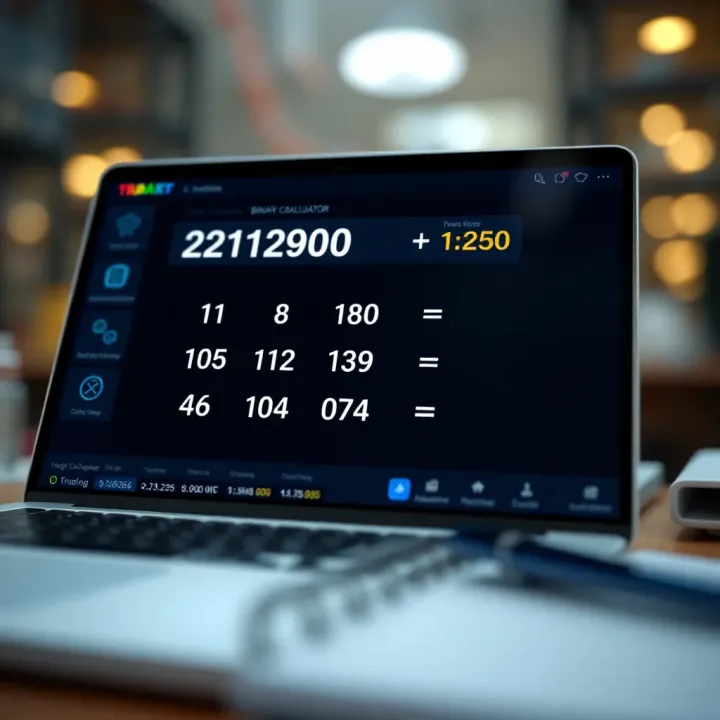
Binary addition follows rules similar to decimal addition but with only two digits:
0 + 0 = 0
0 + 1 = 1
1 + 0 = 1
1 + 1 = 10 (which means 0 with a carryover 1)
If there is a carry, it adds to the next higher bit, similar to carrying over in decimal maths. For example, adding 1011 (binary for 11) and 1101 (binary for 13) yields 11000 (binary for 24).
Binary addition calculators find use in various fields:
Computing: At the hardware level, CPUs perform binary addition to execute arithmetic operations. Understanding this process helps developers optimise code and debug.
Digital Electronics: Designing circuits like adders and multiplexers requires a firm grasp of binary addition.
Education: Learners grasp binary math concepts more efficiently through instant feedback offered by calculators.
Using a binary addition calculator helps avoid carry errors and speeds up otherwise tedious manual computations. It is an essential tool for anyone dealing with low-level data processing or learning digital logic.
When using online calculators, ensure you input binary numbers correctly (consisting only of 0s and 1s) and verify outputs by cross-checking smaller sums manually. This practice builds confidence and deepens understanding.
In summary, binary addition calculators simplify adding binary numbers accurately and efficiently. They serve as practical aids across computing domains and educational contexts.

Understanding the basics of binary numbers and how to add them is essential, especially in fields like computing, finance, and electronics. Binary arithmetic operates using only two digits, 0 and 1, making it quite different from the decimal system we use in daily life. For anyone working with digital systems or programming, mastering these basics ensures accurate interpretation and manipulation of data.
Binary numbers consist of bits, which are either 0 or 1. Each bit holds a place value based on powers of two, starting from the rightmost bit as 2⁰, moving left to 2¹, 2², and so on. For example, the binary number 1011 represents (1×2³) + (0×2²) + (1×2¹) + (1×2⁰) = 8 + 0 + 2 + 1 = 11 in decimal. This positional value system is critical because a change in any bit can drastically alter the number’s value.
Grasping place values helps when performing binary addition manually or verifying calculator outputs. When you add binary numbers, each place value must be aligned correctly, just like aligning digits in decimal addition.
The decimal system uses ten digits (0–9) and is based on powers of ten, whereas the binary system uses only two digits and is based on powers of two. This fundamental difference means that binary calculations follow a different set of arithmetic rules. For example, carrying over happens more frequently in binary addition due to its base-2 nature.
In practical scenarios such as computing and digital circuits, binary is the language machines understand. Understanding its difference from decimal helps investors and analysts appreciate how programming and digital processing affect technology-driven markets.
When two bits are added, if both are 0 or one is 0 and the other is 1, the sum is straightforward: 0 + 0 equals 0, and 1 + 0 or 0 + 1 equals 1. No carry is generated in these cases. For example, adding bits 0 and 1 results in 1 without any carry to the next bit.
This basic rule is important when calculating simple binary sums or verifying results from addition calculators. It also helps avoid confusion during manual addition.
If both bits are 1, their sum is 0 with a carry of 1 to the next higher place value bit. For instance, adding 1 + 1 yields 0 in the current bit and pushes 1 as carry to the next.
This carrying mechanism closely resembles decimal addition's carryover but happens more often due to only two digits. Understanding this is essential for accurate binary addition and troubleshooting calculator outputs.
Carry generation occurs when the sum of bits exceeds the current base, which for binary is when two 1s add up. Propagation refers to how this carry moves from one bit to the next during addition. For example, if a carry moves into a bit already having a 1, it could generate a new carry onward.
Recognising how carries generate and propagate helps when adding long binary numbers manually or when checking complex calculator results. This knowledge is crucial for designing or understanding digital circuits and systems performing binary operations.
Mastery of these basics paves the way for effective use of binary addition calculators and understanding their application in technology and finance.
Performing binary addition manually remains fundamental, especially for students, beginners, and analysts who want a deeper grasp of how binary arithmetic works behind the scenes. Though calculators make the process quicker, understanding the manual steps sharpens logical thinking and aids in debugging and verifying computational results. This skill underpins numerous applications in computing and digital electronics, making it a practical exercise rather than mere theory.
Before starting addition, it’s essential to align binary numbers properly, just as you would with decimal numbers. This means writing the numbers one below the other, lining up least significant bits (rightmost bits) together. For example, to add 1011 and 110, write them as:
1011 110
Here, the smaller number (110) needs a leading zero to match the length of the first number (1011), becoming 0110. This alignment ensures that each bit corresponds correctly by its place value, preventing confusion during addition.

#### Adding bit by bit from right to left

Binary addition proceeds from the rightmost bit to the left, similar to decimal addition. You add the bits in each column and note their sum. Since binary digits are either 0 or 1, sums can be 0, 1, or generate a carry. For instance, adding bits 1 and 1 gives 10 in binary: you write down 0 and carry over 1 to the next column.

This right-to-left approach respects place values. It makes the process manageable, letting you focus on one bit at a time while keeping track of carries. In practice, this stepwise method helps reduce errors when dealing with long binary numbers, which can feel overwhelming otherwise.

#### Handling carries in each addition step

Whenever a column sum exceeds 1, carry management comes into play. A carry is forwarded to the next higher bit position, much like in decimal addition. For example, adding bits 1 + 1 + carry 1 results in binary 11 (decimal 3). Here, you write down 1 and carry forward another 1.

Paying attention to how carries propagate is vital because errors here affect the final answer. Carry handling also illustrates how simple binary rules translate to real computations in processors, where carry logic determines correct arithmetic outcomes.

### Common Mistakes to Avoid

#### Misinterpreting carry bits

A common pitfall is confusing when to carry and how to use carry bits in the next addition step. Sometimes beginners forget to add the carry itself or misplace it in the current column instead of the next. This misstep leads to wrong results.

Always remember that a carry arises only when the sum exceeds 1. It itself is added only to the next left bit, not the current. For example, if adding three bits yields a sum of 2 or 3, the carry is 1 and should influence the next column’s sum correctly.

#### Ignoring place value shifts

Binary place values double each step to the left, so ignoring this can create misunderstandings, especially when manual addition shifts bits incorrectly. Beginners sometimes treat bits as independent digits without accounting for their positional weight, resulting in errors.

Ensuring proper alignment and not mixing up place values during addition form the backbone of accurate binary arithmetic. This error often shows up when summing numbers of unequal length without padding smaller numbers with leading zeros.

> Understanding the manual steps in binary addition, including aligning bits, carefully adding right to left, and correctly handling carries, builds a strong foundation for working with binary calculators and dealing with digital logic problems effectively.

These guidelines help investors, traders, students, and analysts alike while working with binary numbers, making manual addition a valuable skill despite the availability of automated tools.

## How Binary Addition Calculators Work

Binary addition calculators simplify the process of summing binary numbers, saving you time and minimising errors. Their relevance becomes clear especially when dealing with lengthy binary strings or complex calculations, where manual addition could easily lead to mistakes. Such calculators provide instant answers by breaking down the addition into smaller, manageable steps, automating what could be tedious for beginners and professionals alike.

### Features of Binary Addition Calculators

#### Input methods for binary numbers

Most binary addition calculators offer versatile input options to suit different user preferences. You can typically enter binary numbers by typing directly into an input box or using a virtual binary keypad, which ensures valid entry by restricting input to binary digits only. For instance, a student practising binary arithmetic might find the keypad handy to avoid typos, while an analyst feeding in data from other sources could prefer copy-pasting the exact binary strings.

This flexibility helps avoid common input errors, like using digits other than 0 and 1, which would invalidate the calculation. Some advanced tools even accept varying lengths of binary numbers without requiring prior alignment, managing the inputs internally before performing the addition.

#### Instant computation and result display

One of the main advantages of these calculators is their ability to process input numbers instantly, providing the sum on the spot. This speeds up work considerably, especially during quick calculations or debugging sessions when results are needed immediately.

Imagine a programmer checking a binary operation's output within a few clicks—no need for manual review of carries or place values. The tool handles all of this in the background, showing the final binary sum clearly. It may also highlight any carry bits generated during the process, which serves as a useful educational aid.

#### User-friendly interface options

A good binary addition calculator presents information cleanly, avoiding clutter and unnecessary complexity. Clear labels for input fields, buttons for common functions like clearing inputs or resetting the calculator, and even explanatory tooltips help users navigate the tool efficiently.

For example, beginners benefit when calculators provide visual cues like colour changes for carry bits or stepwise addition views. This interactive design not only improves usability but supports learning by making the underlying process more transparent.

### Underlying Algorithms

#### Bitwise addition and carry management

At the core, these calculators perform addition bit by bit, starting from the least significant bit (rightmost) to the most significant bit (leftmost). Each pair of bits is added along with any carry from the previous step, following simple rules:

- 0 + 0 = 0 (carry 0)
- 0 + 1 or 1 + 0 = 1 (carry 0)
- 1 + 1 = 0 (carry 1)
- 1 + 1 + 1 (carry-in) = 1 (carry 1)

Managing carries accurately is key to the correct result. Software calculators implement this logic in loops or recursive functions, ensuring every bit pair and carry is considered systematically.

#### Use of logic gates in hardware calculators

In hardware-based binary addition, such as in microprocessors or digital circuits, the process relies on logic gates: AND, OR, and XOR gates.

- XOR gates perform the bit addition without carry.
- AND gates detect when a carry is generated.
- OR gates help propagate the carry from one bit to the next.

For example, a simple half-adder circuit uses an XOR gate for sum and an AND gate for carry. More complex full-adders chain these half-adders to manage carry-in and carry-out bits, forming the building blocks of binary arithmetic in physical hardware.

> Understanding these basic mechanisms helps users appreciate the speed and accuracy advantages calculators offer—whether device-based or software tools—making binary addition less daunting and more accessible to learners and professionals alike.

## Applications of Binary Addition Calculators

Binary addition calculators find significant use in various fields where binary arithmetic is a core operation. These tools save time and reduce errors by quickly handling sums that might be tedious or tricky if done manually. Their relevance extends from software development to electronics education, highlighting their practical utility.

### Role in Computing and Programming

**Debugging binary operations**: When programmers deal with low-level code, such as assembly language or machine code, binary computations form the building blocks. Binary addition calculators help debug such operations by confirming that bitwise additions in code behave as expected. For example, if a programmer is writing a routine handling bit shifts or adder circuits in embedded systems, these calculators can verify intermediate sums and detect subtle logical mistakes early.

Using these tools can catch carry-bit misinterpretations or incorrect addition sequences that can lead to larger system faults. By quickly testing binary inputs and outputs, developers save effort and minimise costly runtime bugs.

**Verifying algorithm outputs**: Algorithms that manipulate binary data, like encryption routines or compression software, often require precise binary calculations. Programmers can use binary addition calculators to cross-check results produced by their algorithms with expected outcomes. This comparison helps ensure that transformations on bits or bytes follow the intended logic.

For example, when validating a checksum generation algorithm, adding binary values manually might lead to slips. The calculator confirms correctness and boosts confidence in the code’s reliability before deployment.

### Use in Digital Electronics Education

**Learning binary arithmetic concepts**: Students of digital electronics or computer science benefit from binary addition calculators as interactive learning aids. They provide a hands-on way to see the effects of adding bits, carrying over, and how place values in binary work. Instead of labouring through manual sums repeatedly, learners can experiment with different binary inputs and instantly observe results.

For instance, a student can quickly test the addition of 1011 and 1101, check how carries propagate, and understand overflow situations. Such immediate feedback deepens comprehension beyond theoretical explanations.

**Designing and testing simple circuits**: When beginners design basic circuits like half adders or full adders, binary addition calculators help verify their logic. Before physical prototyping, students can simulate binary sums digitally and identify design flaws.

This practice minimises hardware errors and teaches systematic design approaches. By confirming that input combinations yield correct outputs in the calculator, learners build confidence that their circuit layout will perform as intended once assembled on breadboards or simulation software.

> Using binary addition calculators is not just about convenience, but about precision and learning. They bridge theory and practical use, essential for students and professionals alike.

## Selecting and Using Online Binary Addition Tools

Choosing the right online binary addition calculator matters because it saves time and reduces errors when working with binary numbers. These tools are especially useful for investors, traders, students, and analysts who need quick and dependable results without manual conversion struggles.

### Criteria for Choosing a Reliable Calculator

#### Accuracy and error handling
Accuracy is the foundation of any binary addition tool. Even a tiny mistake in adding binary digits can lead to wrong outputs, which might mislead decision-making in finance or software debugging. A reliable calculator must handle errors gracefully—like notifying users if the input has invalid characters or if the binary number exceeds supported length limits. For example, a tool that silently gives wrong results without warning isn't suitable for professional use.

#### Ease of use and accessibility
A calculator should be straightforward, welcoming newcomers and experts alike. Clean interfaces, quick input options (such as typing or pasting binary strings), and visible buttons for operations make the process efficient. Moreover, accessibility on mobile and desktop without the need for complicated installations helps users employ these calculators on the go, which is vital for traders needing instant computations.

#### Additional functions such as subtraction or conversion
Some binary addition calculators also include subtraction, multiplication, and base conversion features. These extras save users from hopping across different tools. For example, converting binary to decimal quickly or subtracting binaries helps students grasp related concepts better and assists analysts in cross-checking data formats during reports preparation.

### Practical Tips for Effective Use

#### Interpreting the output correctly
Outputs from binary calculators are mostly in binary form, which can confuse users unfamiliar with this number system. It helps to cross-verify results by converting outputs to decimal manually or using a complementary tool, especially in financial computations where accuracy counts. Understanding the place value of bits ensures you don't misread the outcome.

> Using a binary calculator safely requires some basic awareness of what the results mean, not just clicking buttons.

#### Using calculators in educational settings
Teachers and students benefit when these calculators come with step-by-step breakdowns of addition processes, not just final answers. This illuminates how carries propagate and how each bit sums up, deepening conceptual learning. For instance, schools teaching digital electronics can include these tools in classroom exercises to strengthen binary arithmetic skills.

#### Cross-verifying results manually for learning
Though calculators speed up binary additions, practising manual calculations enhances understanding and reveals common pitfalls like ignoring carries or misaligning bits. Manually verifying helps students appreciate how algorithms translate on-screen and fosters confidence in using calculators later.

In summary, selecting the right binary addition tool involves looking for accuracy, simplicity, and useful features. Meanwhile, using these calculators wisely supports smoother learning and dependable results in professional tasks.🧮 Learn how online binary to decimal converters simplify number conversion with step-by-step guides, key features comparison, and practical uses for students and professionals alike.

Explore online binary addition ⚙️: key concepts, reliable methods, and practical applications in computing. Learn about algorithms & tools used daily 🔢.

Explore how linear and binary search algorithms work, their efficiency, and real-world examples 🔍 Understand when to use each method effectively for better coding.

Explore how linear search 🔍 and binary search 📊 differ in approach, speed, and use cases. Know when to pick each method for efficient searching!
Based on 11 reviews