

Octal to Binary Conversion Made Easy
Convert octal numbers to binary easily! Learn methods, use handy converters ⚙️🔢, and see examples to choose the best approach for your needs.
Edited By
Liam Walker
Binary data forms the very backbone of digital technology. Every character you read on your computer—from letters and symbols to numbers—originates as a series of 0s and 1s. But how does this string of bits turn into readable alphabets? The process hinges on well-established encoding standards like ASCII and Unicode, which map binary sequences to specific characters.
Understanding binary to alphabet conversion is especially useful for programmers debugging code, students exploring computer basics, and analysts handling data in raw formats. It works by assigning a fixed-length binary number to each letter or symbol. For example, in the ASCII system, the uppercase letter 'A' is represented by the 7-bit binary code 1000001, equivalent to decimal 65.
The conversion from binary to alphabets isn't just academic; it underpins how your computer displays text, sends emails, or processes commands.
Here’s how the conversion typically flows:
Step 1: Capture the binary input, which is usually a string of bits grouped in bytes (8 bits).
Step 2: Identify if the binary code uses ASCII, which covers basic English characters, or Unicode that supports a vast array of global symbols.
Step 3: Convert each binary group into its decimal equivalent.
Step 4: Map this decimal number to the corresponding character using lookup tables.
To nail down practical knowledge, consider this example: the binary 01001000 01100101 01101100 01101100 01101111 converts to the word "Hello" in ASCII. Each 8-bit segment stands for one letter.
By grasping these steps and standards, you can easily build tools or scripts that decode binary messages or data from hardware devices. This skill opens doors to fields like data analytics, embedded systems programming, and network communication.
Keep in mind, differences in encoding formats may lead to varying results, so knowing which standard your data follows is essential for accurate conversion.
Understanding the basics of binary is fundamental to grasping how data is stored and processed in computers. Binary, consisting of just two digits—0 and 1—forms the building blocks of all digital information. Its simplicity allows electronic devices to reliably represent and manipulate data.
Binary digits, or bits, represent values using only two states. A '0' can stand for ‘off’, and a '1' for ‘on’. For example, the binary number 1011 equals 11 in decimal notation. This system might feel odd at first, but it’s highly efficient for digital devices that operate on physical differences, like voltage levels.
In daily computing, every piece of data—from images to text—is converted into binary sequences. This representation suits the nature of digital circuits and storage mediums. Consider the way your smartphone stores a selfie: each pixel’s colour information is broken down into binary to make the image accessible for the screen.
Every chip inside a computer, mobile, or server depends on binary to perform operations. The simplest logic gate, which outputs true or false, speaks the language of 0s and 1s. This language enables complex computing processes when combined in millions of gates.
Take digital audio, for example. When you play a song on a media player, the sound waves are sampled and converted into binary numbers, allowing playback devices to recreate original sounds precisely.
Computers use binary because it’s straightforward and less prone to mistakes. With only two states, circuits can more clearly distinguish between ‘on’ and ‘off’ even in noisy environments. This reduces errors compared to a system with more states, which might confuse closely spaced voltage levels.
For instance, when a power fluctuation happens, a binary system can still accurately detect if a signal is an intended 1 or 0, preserving data integrity effectively.
Raw binary data alone doesn't inform us unless interpreted through coding standards. By grouping bits in specific ways—often as 7 or 8 bits per character—computers translate these sequences back into meaningful alphabets, numbers, or symbols.
An example is typing on your keyboard: when you press the letter ‘A’, the keyboard sends a specific binary code to the computer, which then converts it into the text you see. This process makes binary-to-alphabet conversion indispensable in computer communications.
Binary is the quiet workhorse behind every pixel, letter, and sound in computing, highlighting why understanding its role is essential for anyone dealing with digital systems.
Encoding alphabet characters in binary plays a critical role in enabling computers and digital devices to store, transmit, and process text. This process translates human-readable characters into a sequence of binary digits (0s and 1s), which machines can understand and manipulate efficiently. Without such encoding standards, information exchange across diverse systems—be it emails, programming code, or mobile communication—would become chaotic and prone to errors.
ASCII, or the American Standard Code for Information Interchange, was one of the first widely accepted methods for encoding text characters. Developed in the 1960s, ASCII paved the way for standardising how English letters, digits, and symbols correspond to binary values. Its simplicity and efficiency made it fundamental in early computing and data communication systems.
The standard utilises 7 bits to represent each character, allowing for 128 unique symbols. For example, the uppercase letter ‘A’ corresponds to the binary code 1000001, while ‘a’ is 1100001. This mapping helps devices reliably translate binary sequences back into familiar text. However, ASCII primarily supports basic English characters and a limited set of symbols, making it insufficient for more diverse language needs.
Unicode was introduced to overcome ASCII's limitations by supporting multiple languages and a vast array of symbols in one unified standard. Unlike ASCII's modest 128-character limit, Unicode can encode over 1,10,000 characters covering scripts like Devanagari, Tamil, Cyrillic, Arabic, and even emoji.
Unicode uses different encoding schemes, with UTF-8 and UTF-16 being the most common. UTF-8 is popular for its backward compatibility with ASCII—English text remains the same as ASCII encoding—but it can also accommodate characters from global languages by using one to four bytes per character. This makes UTF-8 highly efficient and flexible for the internet and software applications.
On the other hand, UTF-16 encodes most commonly used characters in two bytes but can also represent others using four bytes. It is commonly adopted in platforms like Windows and Java-based applications where fixed-width encoding helps optimise performance.
Understanding these encoding standards is essential for anyone dealing with data processing, especially in a multilingual context like India, where multiple scripts are used daily.
By recognising how ASCII and Unicode encode alphabets into binary, you can better grasp how text data travels and transforms behind the scenes in computing environments, improving your programming and data handling skills.
Converting binary data into alphabetic characters is a fundamental task for anyone working with digital text. This process breaks down complex binary sequences into readable alphabets, enabling effective communication between machines and humans. Understanding each step clearly helps in debugging software, interpreting encoded messages, and even crafting your own converter tools.
Determining bit-length per character is key to accurate conversion. Commonly, standard ASCII uses 7 bits per character, while extended sets and Unicode often employ 8 bits or more. For example, in ASCII, the letter ‘A’ corresponds to the binary code 1000001 (7 bits), whereas UTF-8 encoding uses 8 bits for compatibility with modern systems. Identifying how many bits represent a single character ensures you cut the binary string correctly, avoiding misinterpretation.
Next comes handling padding and spacing within these binary strings. Sometimes, binary codes include extra zeros at the start or end—known as padding—to complete a fixed-length segment. If you see a binary string like 01000001 00000000, the trailing zeros might be padding or null characters. Knowing when to drop or keep padding is crucial; ignoring it might lead to errors, while blindly removing bits could corrupt data. Spacing between binary blocks also helps separate characters but might be absent in raw data, requiring manual or programmed insertion for clarity.
Once binary strings are segmented correctly, the next step involves using lookup tables and encoding charts. These charts map binary sequences to their corresponding letters and symbols, serving as a reference. For instance, the ASCII table assigns 01000001 to ‘A’, while Unicode charts extend this to include alphabets from multiple languages. Consulting these tables avoids guesswork and speeds up the conversion, especially for beginner programmers who can rely on predefined mappings rather than creating custom logic.
Consider examples of binary to character conversion to grasp the concept better. Suppose you have the binary string 01001000 01100101 01101100 01101100 01101111. Splitting it into 8-bit units represents the letters H, e, l, l, o. This illustrates a basic yet practical use case—decoding a word from its binary form. Such examples show how developers and students can handle real data streams, which may come from file formats, network packets, or embedded system outputs.
Breaking down binary into units and then translating using proper encoding ensures that the original message is faithfully restored. This method is particularly helpful in programming, data analysis, and understanding digital communications.
Understanding these steps enables you to convert binary data into readable alphabetic characters confidently and with minimal errors, a skill essential in today's technology-driven environment.
Using the right tools for binary to alphabet conversion simplifies what might otherwise be a tedious process. These resources help bridge the gap between raw binary data and the meaningful text that most users understand. Whether you're a student trying to decode a message or a beginner programmer exploring data formats, these tools can save time and reduce errors.
Several online converters allow quick translation of binary code into alphabets without requiring installations. Sites like RapidTables, Browserling, and UnitConversion offer user-friendly interfaces where you can paste binary strings and instantly receive the corresponding text. These converters cater well to Indian users, as many of them load quickly even on average internet connections and support UTF-8 encoding, which covers Indian scripts as well.
Using these tools can be especially handy during exams or bug-fixing sessions, where a quick check is needed. However, it's worth noting that depending on your network connectivity and browser, the experience might vary slightly.
Most online converters can handle standard ASCII and Unicode binaries, making them versatile for a variety of text conversions. They often come with additional features such as converting hex or decimal to text, enabling you to experiment with different number systems.
That said, these tools sometimes struggle with malformed binary data, such as missing bits or incorrect formatting. They typically assume perfect input and might produce gibberish or errors if the binary string isn't well-structured. Also, many free converters limit input size or require internet access, which can be a barrier in low-connectivity areas.
Python is a practical choice for beginners wanting to write their own binary-to-alphabet converter. It provides straightforward syntax and built-in functions that handle string manipulation and integer conversions with ease. By writing a simple Python script, learners can deepen their understanding of how binary encoding maps to characters.
For instance, with basic Python commands, you can break the binary string into 8-bit chunks and directly convert these into characters using the chr() function combined with int() for base conversion. This hands-on approach also introduces learners to error checking and input validation.
The key logic in such a program involves splitting the binary string correctly, ensuring each chunk matches the encoding bit-length (usually 7 or 8 bits for ASCII and Unicode). Then, the program converts these chunks from binary to decimal, and finally to the corresponding character.
Key Python functions used include:
int(binary_string, 2): Converts the binary string to an integer
chr(integer_value): Converts an integer to its ASCII/Unicode character
This stepwise approach helps beginners see the direct connection between binary data and text. Adding basic error handling further solidifies understanding, ensuring the program alerts users if the input is incomplete or mismatched.
Writing your own converter encourages problem-solving and makes you appreciate the underlying principles behind data encoding standards like ASCII and Unicode.
Using these tools and programming techniques equips readers to handle binary to alphabet conversion confidently, whether for learning or practical applications.
Converting binary sequences into readable text is often tricky due to errors in the input data or mismatches in encoding standards. Understanding these challenges is essential for anyone working with raw binary information. Incorrect or incomplete binary can cause gibberish output, while confusion over encoding leads to wrong characters appearing. Grasping these issues helps you interpret binary data more accurately and avoid common pitfalls.
Errors in binary input usually show up as unexpected symbols or the inability to decode to meaningful characters. This happens when bits get altered, lost, or extra bits sneak in, commonly from faulty data entry or transmission glitches. Detecting these flaws involves checking if the binary string has the right length divisible by 7 or 8 bits, depending on the encoding, and scanning for illegal bit patterns. For instance, if a binary string meant for ASCII conversion has 9 bits per character instead of 7 or 8, the output will likely be garbage.
To handle faulty data, simple error correction methods come in handy. One approach is adding parity bits—a single extra bit per character indicating if the count of ones is even or odd—which helps spot single-bit errors. More advanced techniques like cyclic redundancy checks (CRC) can detect multiple errors. When correction is not possible, the best bet is to highlight or discard suspect parts during conversion. This lets you still recover usable text from the clean sections of the binary input.
Multiple encoding standards exist, making compatibility a common headache. ASCII, for example, uses 7-bit codes, while Unicode covers thousands of characters with 8, 16, or more bits depending on UTF-8 or UTF-16 schemes. If you interpret a UTF-8 encoded binary string using ASCII rules, many characters will come out wrong. Likewise, older systems may assume single-byte encodings, while modern text requires multibyte decoding.
Matching the correct encoding is vital for accurate conversion. Before starting, identify which standard the binary data follows—sometimes metadata or context offers clues. In practice, you might check binary lengths or test convert with different encodings to see which produces sensible text. For example, a binary sequence representing Hindi characters will only make sense under Unicode, not ASCII. Choosing the right decoder ensures your output matches the original message.
Without proper error checks and encoding awareness, binary-to-text conversion can produce confusing or useless results. Paying attention to these challenges prevents data misinterpretation and improves reliability.
In summary, keep an eye on input correctness and encoding type when converting binary to alphabet. Spotting errors early and confirming the code standard helps maintain the integrity of your text output, whether you are a student, programmer, or analyst dealing with binary data.
Convert octal numbers to binary easily! Learn methods, use handy converters ⚙️🔢, and see examples to choose the best approach for your needs.
Learn how to convert octal numbers to binary with simple examples 🧮. Understand each step, avoid errors, and apply techniques in computing and academics.
Learn how to convert octal numbers to binary easily using a handy table 📊. Understand both number systems and speed up your calculations effortlessly!
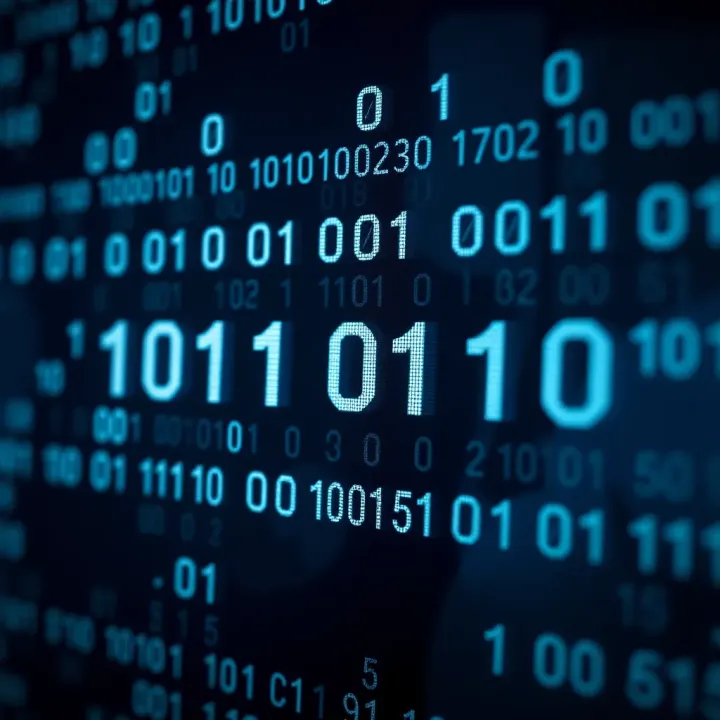
Explore binary numbers and their role in computing 💻. Learn conversions, arithmetic, and applications with practical examples for Indian tech enthusiasts 🇮🇳.
Based on 6 reviews