
Understanding Binary Digits in Computers
Discover how binary digits, the core of computing, represent data and perform arithmetic in digital devices widely used across India. 💻🔢
Edited By
Sophie Harrison
Binary numbers are the foundation of all modern computers. Unlike the decimal system, which uses ten digits from 0 to 9, the binary system uses only two digits: 0 and 1. Each of these digits is called a "bit," the smallest unit of data in computing. By combining bits into groups, computers represent complex information ranging from numbers and letters to images and sound.
Every piece of data inside a computer is ultimately stored and processed in binary form. For example, the letter ‘A’ in text is represented by the binary code 01000001 in the ASCII character set. This conversion allows the computer’s hardware, which understands on/off electrical signals, to interpret and manipulate data efficiently.
A group of 8 bits forms a byte, a standard chunk of data size that can represent 256 different values (from 0 to 255). Bytes are the building blocks for larger data structures, files, and software instructions. In typical Indian software applications or even trading platforms, file sizes and memory capacities are often measured in kilobytes, megabytes, or gigabytes, all multiples of bytes.
Understanding the binary-to-decimal conversion can help decode how data is stored or processed. For instance, the binary number 1011 equals 1×2³ + 0×2² + 1×2¹ +1×2⁰, which comes to 8 + 0 + 2 + 1 = 11 in decimal. Such calculations are essential in programming and hardware design.
Binary arithmetic (addition, subtraction, multiplication) forms the core of all computations a processor performs. Whether calculating market trends or processing data for an app, the underlying operations happen with binary numbers.
Key points about binary in computers:
Bits and bytes represent data at its smallest form.
Computers use binary signals (high/low voltage) corresponding to 1 and 0.
Data conversion between binary and decimal helps humans understand machine language.
Binary operations enable all computer functionalities, including logic gates in processors.
Grasping these basics is useful not just for students or beginners in computing but also for investors and analysts who work closely with technology-driven data systems and want to appreciate what happens behind the scenes.
Binary numbers are at the core of how computers function, forming the language that machines use to process and store data. Understanding these basics helps you grasp why your phone, laptop, or any digital device treats information in a particular way. The binary system uses only two digits—0 and 1—which is simpler but extremely powerful for electronic circuits.
Binary numbers represent values using just two symbols: 0 and 1. Unlike the decimal system, which uses ten digits (0 to 9), the binary system counts in base 2. Each position in a binary number represents a power of 2, moving from right to left. For example, the binary number 1011 translates to decimal 11 because it means 1×2³ + 0×2² + 1×2¹ + 1×2⁰.
This simplicity suits computers because digital circuits only have two states: ON (1) and OFF (0). So instead of relying on complex symbols or signals, computers store and process everything in sequences of 0s and 1s. Whether it’s a financial transaction or sending a WhatsApp message, the underlying data is managed in binary.
The smallest unit of data in computing is a bit (short for binary digit), which can be either 0 or 1. Just one bit alone carries very limited information—imagine trying to explain your entire day with just “yes” or “no” answers.
To represent more complex data, bits are grouped into bytes. A byte consists of eight bits and can express 256 unique values (from 0 to 255 in decimal). File sizes, memory capacity, and data transfer speeds are all measured in bytes or its multiples, like kilobytes, megabytes, and so on.
For instance, the letter 'A' in ASCII encoding is represented as 01000001 in binary, which fits neatly into one byte. That’s how computers encode text, images, sounds, and more—breaking them down into these byte-sized chunks.
Remember: Your day-to-day digital experience depends heavily on these tiny bits and bytes, which allow complex information to be stored, computed, and transmitted efficiently.
Understanding these basics sets the foundation for grasping more advanced concepts, such as how binary numbers convert to decimals or how logical operations work at the hardware level. This knowledge helps investors and analysts alike appreciate the efficiency and limitations of computing systems, critical in today’s tech-driven economy.
Binary numbers form the basis of how computers store and process all types of data. Unlike humans, who use decimal numbers, computers rely entirely on binary — a system using only 0s and 1s. This simplicity suits electronic circuits, where switches are either off (0) or on (1). Understanding how bits combine to represent complex data helps appreciate the efficient design behind modern computers.
Computers store all kinds of information, from numbers to commands, in sequences of 0s and 1s known as bits. Eight bits group together to form a byte, which acts as the smallest meaningful unit of data. For example, a single byte can represent a number from 0 to 255 in decimal. When you save a document or watch a movie on your laptop, the file’s content is converted into long strings of bytes.
Each byte's pattern tells the computer what data it represents. For instance, the binary pattern 01000001 corresponds to the decimal number 65, which in turn represents the letter 'A' in the ASCII text encoding standard. Different data types like integers, floating-point numbers, or characters have predefined binary formats that help the computer interpret these sequences correctly.
To represent text, computers use encoding schemes where each character maps to a specific binary code. ASCII and Unicode are common standards. ASCII assigns a 7- or 8-bit code to English letters, digits, and symbols. Unicode extends this to support characters from multiple languages, including those used in India, like Hindi and Tamil, by using longer bit sequences.
Images are stored as grids of tiny elements called pixels. Each pixel's colour gets translated into binary through colour models like RGB. For example, a red shade might be stored as 11110000 00000000 00000000 in binary, representing intensities of red, green, and blue. Compressing image files into JPEG or PNG formats involves converting their binary data to reduce size without significant loss of quality.
Binary representation enables computers to handle diverse data types efficiently, forming the backbone of everything we store and use digitally.
By mastering how binary encodes various forms of data, you can better understand how your computer organises and processes the information you depend on every day.
Understanding how to convert between binary and decimal is essential for anyone working with computers or studying computer science. Although computers operate using binary (base-2) numbers, humans naturally use the decimal (base-10) system for counting and arithmetic. Regularly switching between these two systems bridges the gap between machine language and human-readable figures.
Converting binary to decimal involves interpreting each bit in the binary number as a power of two. Starting from the rightmost bit (least significant bit), each bit is multiplied by 2 raised to the power of its position index, beginning at zero. Adding these results gives the decimal equivalent.
For example, consider the binary number 1011:
The rightmost bit '1' is in position 0: 1 × 2⁰ = 1
Next bit '1' in position 1: 1 × 2¹ = 2
Next bit '0' in position 2: 0 × 2² = 0
Leftmost bit '1' in position 3: 1 × 2³ = 8
Adding 8 + 0 + 2 + 1 equals 11 in decimal. This method is straightforward and useful when converting small binary numbers manually.
Another quicker way, especially for longer binary strings, is to read the binary number from left to right and successively multiply the accumulated value by 2 before adding the current bit. This simulates how computers process bits and works efficiently for programming purposes.
Turning decimal numbers into binary involves dividing the decimal number by 2 repeatedly and noting the remainder each time. These remainders form the bits of the binary number, read from the bottom up (last remainder first).
For instance, to convert the decimal number 13:
13 divided by 2 gives quotient 6 and remainder 1
6 divided by 2 gives quotient 3 and remainder 0
3 divided by 2 gives quotient 1 and remainder 1
1 divided by 2 gives quotient 0 and remainder 1
Reading the remainders upwards, we get 1101 as the binary equivalent of 13.
This method makes it effortless to convert any decimal number to binary without memorisation. It also helps programmers understand how division-based algorithms underpin many low-level computer operations.
Knowing to convert between binary and decimal enhances your ability to interpret computer data directly and debug issues involving number systems.
In summary, mastering these conversions opens a clearer window into the binary world that computers live in, enabling better grasp of data encoding, programming, and troubleshooting tasks.
Fundamental binary operations form the backbone of how computers perform calculations and make decisions. These operations manipulate binary digits, or bits, to process data and execute instructions. Understanding these operations is vital for those interested in computer science or digital electronics, as they underpin everything from simple calculations to complex program logic.
Addition in binary works similarly to decimal addition but with only two digits: 0 and 1. When adding two binary digits, 0 plus 0 equals 0, 1 plus 0 or 0 plus 1 equals 1, and 1 plus 1 equals 10 in binary (which means 0 carry 1). For example, adding binary numbers 101 (5 in decimal) and 110 (6 in decimal) results in 1011 (11 in decimal). This operation is fundamental in computer processors for tasks like summing numbers, calculating addresses in memory, or adjusting counters.
Subtraction often utilises the method of two's complement in binary systems. This approach allows subtraction to be handled like addition, simplifying processor design. For instance, to subtract 3 (011 in binary) from 7 (111 in binary), the two's complement of 3 is added to 7, yielding 100 (4 in decimal). This technique avoids the need for separate subtractor circuits, making arithmetic more efficient in digital systems.
The AND operation compares two binary bits and returns 1 only if both bits are 1; otherwise, it returns 0. This operation is used in masking bits, such as checking if a particular bit flag is set in a binary number, which arises frequently in controlling hardware or managing permissions.
The OR operation returns 1 if at least one of the two bits is 1. This function is handy for combining bit flags or enabling features where if any condition is true, the result turns on. For example, activating multiple system permissions can be done using the OR operation on a bitmask.
The XOR (exclusive OR) operation outputs 1 when the input bits differ and 0 when they are the same. XOR finds usage in error detection and correction methods, such as parity checks, and in cryptography to combine data in a reversible yet secure manner.
The NOT operation flips a binary bit: 0 becomes 1, and 1 becomes 0. This unary operation is essential in creating complement values or reversing conditions. In programming, NOT can help toggle flags or invert binary states efficiently.
Mastering these fundamental binary operations equips you with a better grasp of how computers manage data and instructions at the lowest level. Whether you're developing software, analysing hardware behaviour, or simply curious, these concepts are the stepping stones to deeper understanding.
Binary numbers lie at the heart of computer architecture, shaping how hardware components function and communicate. Unlike decimal systems used by humans, computers operate using binary because digital circuits recognise only two states: on or off. This simple yet powerful system enables reliable processing and storage of data.
Digital circuits, the backbone of any computer, rely on binary signals. These circuits use transistors to switch between two voltage levels representing 0s and 1s. For instance, a transistor might allow current to pass (1) or block it (0), enabling complex operations by combining many such switches.
A good example is a logic gate, which performs basic binary operations like AND, OR, and NOT. These gates form larger components such as adders and multiplexers within the central processing unit (CPU). The simplicity of binary signals helps maintain speed and accuracy, essential for handling the billions of operations a processor performs every second.
Processors decode binary data through instruction sets—a predefined collection of binary codes that tell the processor what action to perform. Each instruction corresponds to a specific task, such as arithmetic calculation, data movement, or control flow.
Take the instruction for addition: the processor receives binary codes representing the numbers and the operation itself. The Arithmetic Logic Unit (ALU), a key processor component, carries out this task using binary arithmetic. It adds the two binary numbers and stores the result, also in binary form.
This approach extends to all data types — text, images, and sound — converted into binary for manipulation and storage. Processor design optimises efficiency by using binary at every step, ensuring swift interpretation and execution.
Without the binary framework, modern digital devices would struggle to achieve the reliability and speed we rely on today.
In summary, the role of binary numbers in computer architecture is indispensable. From the physical transistors in digital circuitry to the complex instructions interpreted by processors, binary forms the universal language that powers computation. Understanding this connection helps decode how everyday devices translate simple on-off states into the rich data and functionalities we experience.
Discover how binary digits, the core of computing, represent data and perform arithmetic in digital devices widely used across India. 💻🔢
Explore binary numbers 💻 – from basic concepts and history to conversion, arithmetic operations, and applications in computing and electronics for learners and pros alike.
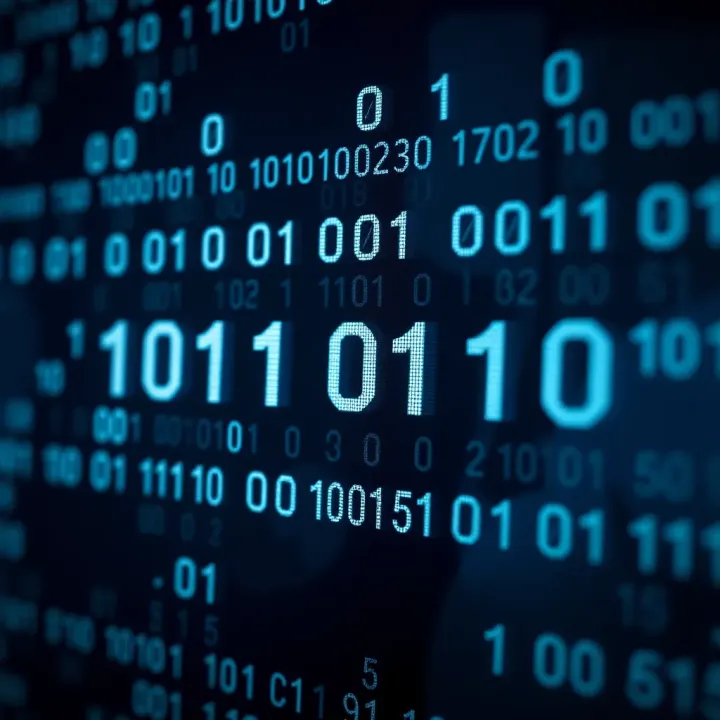
Explore binary numbers and their role in computing 💻. Learn conversions, arithmetic, and applications with practical examples for Indian tech enthusiasts 🇮🇳.
Explore how numbers in binary code form the backbone of computing 💻. Learn binary basics, decimal conversion, arithmetic, and real-life tech uses 📊🔢.
Based on 8 reviews