

Understanding Binary Tree Maximum Height
🌳 Discover how to determine the maximum height of a binary tree in computer science! Learn calculation methods, real-world uses, and effects on performance.
Edited By
Charlotte Green
When working with binary trees in programming, understanding the maximum height is a must-have skill. It's not just about knowing how tall a tree can get; it's about what that height means for how efficient your code will be when searching, inserting, or deleting nodes.
This article dives into what the "maximum height" means for a binary tree, how you can calculate it, and why it really matters—especially if you're dealing with complex data structures or performance-critical applications.
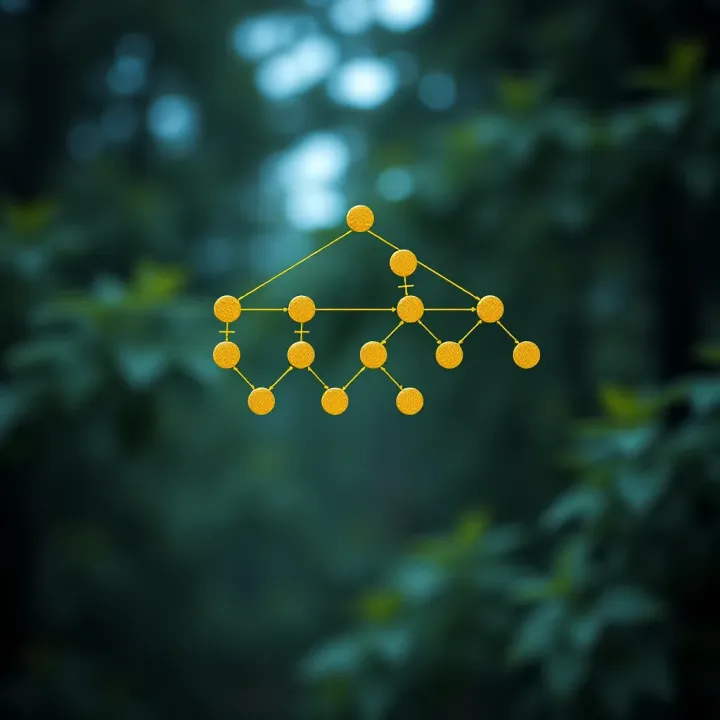
Think of a binary tree like a family tree or an org chart. The height tells you how many layers down the deepest member lies. The taller the tree, the more steps it might take to reach the bottom. This simple piece of info can impact everything from memory use to processing speed.
Understanding the max height helps you predict the worst-case scenario for how long operations might take on your tree.
We'll start with a clear definition, then move on to practical methods for calculating height—both recursively and iteratively. Later, we'll touch on why this is essential for programmers, analysts, and students aiming to write better, faster code.
By the end, you'll have a solid grasp, backed by examples and real-world scenarios, making the concept stick without getting lost in jargon. So, whether you're prepping for a coding interview or building a new app, this knowledge will come in handy.
Understanding the height of a binary tree is fundamental, especially if you're working with data structures or algorithms involving trees. The height essentially measures how "tall" the tree is — that is, the longest path from the root node to the deepest leaf. This concept matters because the height impacts how efficiently you can perform operations like search, insert, or delete.
For example, if the height is large, your operations might slow down because you have to travel down many levels. On the other hand, a shorter height usually means faster operations. Imagine you're navigating a family tree; the more generations from top to bottom, the longer it takes to get to the farthest relative.
Focusing on tree height helps when you're balancing trees, optimizing searches, or understanding space requirements for recursive algorithms. Getting this right translates directly into better performance in databases, file systems, and even networking pathways.
In trees, height and depth often get mixed up, but they are quite different. Height of a node is the number of edges on the longest path from that node down to a leaf. Depth, on the other hand, counts edges up from the root to that node.
Take a simple example: consider the root of a tree. Its depth is 0 (since it’s at the top), while its height is the longest way down to the leaf. Think of depth like how far you’ve climbed to reach a platform, and height as how far you still have to go down to reach the ground.
This difference matters in code too. When checking the height of the tree, we often start from bottom nodes upwards, while depth typically builds from top-down during traversal or search.
Height tells you about the tree’s shape and balance. A tall tree (high height) might mean the tree is skewed or unbalanced, with many nodes lining one branch. Conversely, a smaller height usually suggests a well-balanced tree.
Height also hints at efficiency — a balanced tree with minimal height performs searches and updates faster. For instance, an AVL tree maintains a height difference of at most 1 between subtrees to ensure efficiency.
Knowing the height can assist in predicting performance bottlenecks and deciding if rebalancing or restructuring is needed.
People often confuse height, depth, and level because they describe node positions in trees but from different viewpoints.
Height: Longest distance to a leaf below the node.
Depth: Distance from the root to the node.
Level: Often used interchangeably with depth, but sometimes level counts start at 1 instead of 0.
Remember that while depth and level relate to where a node stands above ground, height deals with what’s below it.
It's crucial to clarify these terms when discussing trees to prevent errors, especially in implementation or performance analysis.
Picture this tree:
plaintext
A
/
B C
/ /
D E F
- Node A (root): depth 0, level 1, height 2 (longest path to D or E/F).
- Node B: depth 1, level 2, height 1 (path to D).
- Node D: depth 2, level 3, height 0 (leaf node).

Think of it like floors in a building:

- Depth/Level tell you which floor you’re on from the ground floor (root).
- Height tells how many floors above you to the rooftop (leaf).

Using these distinctions helps when coding tree operations or explaining concepts to beginners. It also guides how you measure tree progress and performance in practical coding tasks.


## Why Maximum Height Matters

The height of a binary tree isn’t just a fancy term tossed around in computer science textbooks; it plays a huge role in how efficiently the tree works. Think of the height as the longest path from the root node all the way down to a leaf. This measure can make or break the performance of operations like searching, inserting, or deleting data. Ignoring the height is like trying to find a book in an unsorted mountain of papers — it just slows everything down.

A tall, skinny tree, for example, behaves more like a linked list — nods all lined up one after another. Searching through such a tree means slogging through each node one by one, which can be painfully slow as the tree grows. On the flip side, a short, well-balanced tree lets you zoom straight to your data, cutting down search time dramatically.

### Impact on Tree Performance

#### Relationship between height and search time

The taller a tree, the longer it takes to find a node because you have to hop down through each level sequentially. Say you have a tree with a height of 10; in the worst case, it might take up to 10 comparisons to reach a leaf node. But if you balance that tree to bring the height down to, say, 4 or 5, you can roughly halve the number of steps during searches. This is why understanding and managing the max height is vital, especially in large datasets.

For example, binary search trees used in database indexing rely heavily on maintaining a manageable height — otherwise, query speeds suffer and bottlenecks appear.

#### Effect on insertion and deletion operations

Tree height doesn't just affect search time; it has a direct impact on how fast you can insert or delete nodes too. When inserting, if the tree is skewed (unbalanced), you might have to travel deep down one branch, increasing the time complexity to O(n) in the worst cases. The same goes for deletion, where rebalancing after removal can be costlier in a tall tree.

Balanced trees like AVL or Red-Black trees are designed precisely to handle these issues by keeping height in check during insertions and deletions. This keeps operations efficient even as the tree grows.

### Role in Balancing Trees

#### How height influences tree balance

Height is the heartbeat of detecting imbalance in a binary tree. When the left and right subtrees differ too much in height, the tree gets lopsided, affecting performance. Regularly checking the height difference between subtrees helps spot when rebalancing is needed. For instance, an AVL tree keeps the height difference (balance factor) between -1 and 1.

Balancing is like tuning a musical instrument — if strings (branches) aren’t aligned properly, the whole melody (operation efficiency) suffers.

#### Importance in data structure efficiency

The efficiency of many data structures hinges on keeping the height minimal. Lower height means faster traversals, quicker data retrieval, and less memory overhead when dealing with recursive calls. For example, balanced search trees can maintain operations near O(log n), whereas unbalanced trees degrade toward O(n).

This efficiency becomes a game-changer in real-world systems such as database management, networking, and even AI decision trees. When you keep height in control, you ensure smooth sailing for big data and high-speed requirements.

> *In short, managing maximum height is not just academic — it’s fundamental to making binary trees fast and reliable in practical applications.*

## Methods to Calculate the Height of a Binary Tree

Understanding how to calculate the height of a binary tree is essential, especially when you want to analyze its performance and efficiency. There are two widely used approaches: recursive and iterative. Both have their own strengths, and knowing when and how to use each can save you a lot of time and hassle in programming or algorithm design.

Calculating the height effectively helps you gauge how deep the tree extends, which impacts how quickly you can search, insert, or delete nodes. Let’s break down these methods clearly so you get a good grip on each.

### Recursive Approach

#### Base case for leaf nodes

In the recursive method, the base case is where the tree branch ends—that’s your leaf node or a null pointer (no child). At this point, the height is defined as 0, since there are no further nodes down that path. This acts like a stop sign for the recursion.

It's practical because without this base case, the recursion would run indefinitely. When you reach a leaf, you return 0, effectively saying, “Nothing below here.” This small but important step ensures your height calculation starts from the ground up.

#### Combining heights from subtrees

Once the recursion reaches the leaf nodes, it works its way upward by comparing the heights of the left and right subtrees. The height of a node is 1 plus the maximum height of its two children. This reflects the longest path down to the furthest leaf.

For example, if the left subtree height is 3 and the right is 2, the current node’s height would be 1 + max(3, 2) = 4. This step-by-step combination allows you to piece together the entire tree height by summarizing local information.

This approach is straightforward to implement and mirrors the natural structure of a tree, making it easy to visualize and debug.

### Iterative Approach Using Level Order Traversal

#### Using queues to track levels

The iterative way uses a queue to perform level order traversal, also known as breadth-first traversal. Starting from the root, you enqueue nodes level by level, tracking how many nodes are at each level before moving to the next.

This method is practical if you want to avoid recursion and stack overhead. The queue helps keep track of which nodes need visiting next and ensures nodes are processed in order from top to bottom.

#### Counting levels to find height

While traversing, you count how many times you dequeue all nodes of a level before moving onto the next. Each complete dequeue of a level corresponds to one level of height added.

For instance, if you have a tree where level 1 has 1 node, level 2 has 2 nodes, and level 3 has 3 nodes, you process each set of nodes completely before moving on. When no more nodes are left, the number of processed levels indicates the tree’s height.

This method provides an iterative alternative that’s easier on memory in some cases and can be more intuitive when handling trees with very large height where recursion might cause stack overflow.

> Whether you choose recursive or iterative, understanding these methods prepares you for better tree management in your coding practice. Both give you the tools to measure tree height accurately — a key step to optimizing your algorithms.

## Example Code for Computing Tree Height

When it comes to grasping a concept like the maximum height of a binary tree, seeing things in action makes a difference. Example code helps turn the theory into a working model you can study, tweak, and apply. It offers a clear path from abstract definitions to practical use, making it easier to understand how the height is calculated and why it matters.

In real-world coding, calculating tree height is foundational — it affects performance, and knowing how to get it right is important for anyone dealing with data structures, from beginners to seasoned developers. We'll look at examples in Python and Java, two of the most popular languages, to give you a hands-on feel.

### Example in Python

#### Code walkthrough

A Python example often starts with a simple recursive function, since recursion mirrors how trees naturally branch out. The code checks if a node is empty and then finds the height of left and right subtrees, finally picking the larger one and adding one for the current node.

For instance, say you have:

python
class Node:
    def __init__(self, value):
        self.value = value
        self.left = None
        self.right = None


def tree_height(node):
    if node is None:
        return 0
    left_height = tree_height(node.left)
    right_height = tree_height(node.right)
    return max(left_height, right_height) + 1
This snippet hits the heart of the height calculation: if no node, height is zero; otherwise, take the larger child height and add one. It’s clean and intuitive, making it a favorite teaching example.
The logic is straightforward but powerful. Each function call digs into one node, and the function calls itself for its children. It's technically a depth-first search approach, counting how deep the tree branches go. When it reaches a leaf (or None), it backtracks, bubbling up the depth values.
This method naturally captures the maximum height since at every split it picks the taller subtree. The addition of one accounts for the current node itself, ensuring the height counts all levels from bottom to top.
Java’s approach is similar yet demands more setup due to its strict typing. You define a class for tree nodes and a method to calculate height. A typical Java height function looks like this:
public class TreeNode
    int val;
    TreeNode left, right;

    public TreeNode(int item)
        val = item;
        left = right = null;

public int height(TreeNode root)
    if (root == null)
        return 0;
    int leftHeight = height(root.left);
    int rightHeight = height(root.right);
    return Math.max(leftHeight, rightHeight) + 1;
This code does the same as the Python version but with Java syntax and explicit type declarations. It's clear how each node is tested with a null check, then recursive calls find subtree heights.
Handling edge cases like empty trees or a tree with a single node is simple: if the root itself is null, height returns zero. If there's just one node (no children), the height is one because the base return value only kicks in when null is reached.
This careful checking ensures the code won't crash or return wrong values when the tree isn’t what you expect. For example, if someone accidentally passes a null tree to height, your function gracefully handles it instead of throwing errors.
Code like this gives you a solid tool for working with trees, whether you're debugging, optimizing, or just learning data structures. It’s a fundamental step toward understanding why maximum tree height affects performance and what you can do about it.
Understanding the difference between the maximum and minimum height of a binary tree is key for anyone working with tree data structures. Essentially, the maximum height refers to the longest possible path from the root node down to a leaf, while the minimum height indicates the shortest such path. These extremes reveal important insights about the tree's shape, performance, and balance.
Knowing this difference helps you predict how efficient operations like searching, inserting, or deleting nodes can be. For example, in a binary search tree (BST), a tree that is too tall — that is, one with maximum height — might cause search operations to degenerate into linear time, which is no fun when speed matters. Meanwhile, a tree closer to its minimum height generally means faster lookups and better overall performance.
The maximum height of a binary tree is the worst-case scenario where the tree essentially resembles a linked list. In this case, each node has only one child, whether left or right, creating a tall, thin structure. This layout means the height equals the number of nodes minus one.
Practically, this happens when data is inserted in sorted order into a basic binary search tree without any balancing logic. Imagine inserting values like 1, 2, 3, 4, 5 sequentially — the tree ends up skewed, increasing the height with each new node. This worst-case height seriously impacts the efficiency of operations since they now potentially require traversing every node.

Several tree shapes can lead to this maximum height scenario, but the most common is a degenerate tree, which is one-sided. Either:
A right-skewed tree, where each node has only a right child, like nodes linked in a chain.
A left-skewed tree, where each node has only a left child, creating a similar one-sided chain.
These shapes cause the tree to lose its intended structure benefits and behave like a linked list, leading to slow operations and higher processing time. Sometimes you might spot this problem just by looking at the sequential growth of certain unbalanced trees.
On the opposite end, the minimum height corresponds to a balanced binary tree where nodes are distributed evenly. Examples include:
Complete binary trees, where all levels are fully filled except possibly the last, which is filled from left to right.
Perfect binary trees, where all interior nodes have two children, and all leaves are at the same level.
In these cases, the height of the tree is about log₂(n), which grows very slowly even as the tree size increases. These structures ensure operations like searching or insertion stay efficient.
Maintaining a small height in a binary tree is crucial because it optimizes computational cost. A shorter tree means fewer steps when navigating from the root to any leaf node, directly improving search, insert, and delete speeds. This becomes particularly important in performance-sensitive applications like database indexing or real-time search algorithms.
Keeping the tree height close to the minimum ensures speed and reliability in data retrieval and manipulation, preventing the tree from slowing down unexpectedly.
Balancing algorithms like AVL or Red-Black trees exist precisely because uncontrolled insertion can cause degraded performance. So, aiming for minimum height isn't just about neatness — it's about maintaining a solid foundation for scalable, efficient tree operations.
Tree height is more than just a number; it directly shapes how efficiently algorithms work on binary trees. When you're dealing with searching, inserting, or deleting nodes, the tree’s height can be the difference between a quick job and a slow slog. For instance, in a binary search tree, operations generally depend on how tall the tree is—shorter trees mean fewer steps to reach a node.
Understanding this impact helps in choosing the right data structures or deciding when to rebalance a tree. Ignoring height can lead to inefficient code that slows down as data grows. Let's break down exactly how tree height influences algorithm complexity, using practical insights you can put to use.
Traversal time in a binary tree is closely tied to its height because the height dictates how many levels the algorithm must go through. Consider a tree with height h; traversing all nodes in the worst case can take time proportional to h times the number of nodes at each level.
For example, in a skewed tree (one that leans all to one side), the height is equal to the number of nodes, making a traversal like inorder, preorder, or postorder slower compared to a balanced tree. A balanced binary search tree like an AVL or Red-Black tree keeps the height near log n (where n is the number of nodes), ensuring faster traversal.
Traversal time increases linearly with tree height, so taller trees slow down operations substantially.
Optimization considerations include techniques like balancing the tree during insertions and deletions to avoid height blowup. Sometimes, switching to iterative traversal methods helps manage memory better compared to recursion, especially in tall trees. Using data structures like queues in level-order traversal can also ensure you visit nodes efficiently, preventing stack overflow in deep recursions.
Stack space in recursion is a key factor influenced by tree height. Recursive functions use the call stack to remember where they are, and a deep tree means deeper recursion calls. For example, a recursive function calculating height or performing a depth-first traversal might blow the stack when height is large, especially in skewed trees. Balancing the tree or switching to iterative methods can mitigate this risk.
Memory implications also go beyond stack space. Taller trees require memory to keep pointers for each level, so the space complexity indirectly depends on height when auxiliary structures are used during traversals or operations. For instance, a level-order traversal uses a queue that may hold up to the maximum number of nodes in a level, which relates back to the tree’s height and breadth.
In practical terms, controlling tree height isn’t just about faster algorithms but also about keeping your program's memory usage sane — a taller tree can mean more memory consumption and slower performance overall. Balancing trees or limiting height growth is essential when building scalable applications.
Managing tree height isn't just academic; it's central to writing efficient, reliable code when working with binary trees. From traversal speed to recursion depth and memory use, the height plays a quiet but powerful role in shaping algorithm complexity.
Keeping a binary tree balanced is key to controlling its maximum height, which directly influences how fast or slow its operations run. When a tree gets too tall, it’s like climbing a steep ladder: each step, or operation like search, insertion, or deletion, takes longer. Balancing techniques aim to keep that ‘ladder’ as short and even as possible, ensuring that operations stay quick and efficient.
In practice, these techniques adjust the tree’s structure during updates. They ensure no branch outgrows the others too much, which would cause the tree to become skewed and degrade performance. For example, if you just kept adding nodes in a sorted order without balancing, you'd end up with a tree resembling a linked list, making height equal to the number of nodes.
Two popular balancing methods are AVL trees and Red-Black trees. Both use different strategies to keep height in check, which makes them especially useful in applications like databases or real-time systems where speed is vital.
AVL trees are strict when it comes to maintaining balance. Each node keeps track of a balance factor—basically the height difference between its left and right subtrees. This factor is always -1, 0, or 1, meaning the tree never lets one side get too tall compared to the other.
When an insertion or deletion throws the balance off, the AVL tree performs rotations—simple rearrangements of the nodes—to restore balance. Think of it like reshuffling branches to keep a tree shape that’s compact and neat. This strictness ensures the height of an AVL tree stays roughly at log₂(n), where n is the total nodes, which means operations stay cost-effective.
Because AVL trees keep tight balance, search operations are predictably fast even in the worst case.
The tight balancing of AVL trees means searches and lookups are fast and consistent. This makes them a great choice when you have many more lookups than updates.
However, that strictness comes with a cost. Every insertion or deletion might trigger several rotations to keep things balanced, which can slow down write-heavy workloads. So if your application involves frequent changes, AVL trees might introduce some overhead.
Pros: Very balanced height, faster lookups
Cons: More rotations on updates, higher maintenance cost
Red-Black trees take a more relaxed approach compared to AVL trees. They enforce coloring rules that help limit tree height without being super strict on balance.
Each node is either red or black, and there's a set of properties ensuring no path is significantly longer than others. For example, all paths from a node to its leaf descendants contain the same number of black nodes, preventing hugely skewed branches.
While the height isn’t as tightly bound as AVL, it still remains logarithmic, roughly no more than 2×log₂(n). This guarantees efficient performance without as many rotations during updates.
Thanks to their looser balancing rules, Red-Black trees perform insertions and deletions with fewer rotations on average than AVL trees. This makes them favored in systems where more writes are expected.
Searches in Red-Black trees might be a tiny bit slower than AVL due to slightly taller height, but the trade-off is often worth it for systems prioritizing balanced update speed.
They power many real-world implementations, like the Linux kernel's scheduler and the TreeMap in Java's Collections Framework, showing their robust performance under varied conditions.
Pros: Faster insertion/deletion, good worst-case height
Cons: Slightly less balanced, search may be marginally slower compared to AVL
Balancing techniques like AVL and Red-Black are essential tools in the programmer’s kit for controlling tree height. Choosing between them depends on your use case — AVL for faster reads, Red-Black for faster writes — but both keep the tallest branches in check, making sure the binary tree stays efficient.
When working with binary trees, getting the height calculation right is crucial for both understanding the tree and optimizing algorithms. However, it's easy to slip up on some common pitfalls. These mistakes, if unnoticed, can lead to inefficient code or incorrect assumptions about the tree’s structure. Let's check out the typical errors programmers and beginners face when calculating the height of a binary tree, helping you dodge these traps early on.
A frequent confusion is mixing up height and depth. Height usually means the number of edges on the longest path from a node down to a leaf. Depth, on the other hand, measures the number of edges from the root down to the node. These are two sides of the same coin but measuring from different ends.
For example, in a simple tree where the root node is at the top, the root has a height equal to the longest path to a leaf below it, but its depth is zero. Mixing these up can lead you to calculate the tree size or balance incorrectly. To keep it straight: height looks downward from the node; depth looks upward toward the root.
Another slip-up is counting nodes instead of edges or vice versa. Height is often defined as the number of edges, but sometimes people count the number of nodes in the path. This one-off error can throw off your height calculation by one, causing subtle bugs in programs reliant on the exact tree height.
Pro tip: Always clarify whether you’re counting nodes or edges when measuring paths. For instance, if the path has 3 nodes, the height (in edges) is 2.
Edge cases such as empty trees (no nodes at all) tend to trip up calculations. Some might return zero as the height for an empty tree, but by definition, an empty tree should have a height of -1 to keep consistent with the height calculation for leaf nodes, which is zero. This convention avoids off-by-one errors when implementing recursive height functions.
Neglecting this detail can cause recursive solutions to malfunction or skew height-dependent logic. Always check how the height function is expected to handle an empty tree in your programming environment or your own code.
Calculating height in a tree with only one node is another edge case. Some might mistakenly assign a height of one, treating the single node as one level tall. However, since height counts edges, a single-node tree has height zero because there are no edges down from it.
Messing this up can affect how algorithms interpret minimal tree sizes, influencing performance or correctness, especially in balanced tree checks.
Avoiding these common mistakes ensures your tree operations are built on solid ground. Understanding the subtleties of height versus depth, proper node counting, and handling edge cases like empty or single-node trees will make your data structures more robust and your algorithms more reliable.
By staying vigilant about these aspects, you save time debugging later, and your programs will better reflect the true structure of the trees they operate on.
The height of a binary tree is not just an abstract concept; it plays a significant role in many practical systems we rely on daily. From databases to networking, understanding how the height influences performance can really help when designing or optimizing algorithms. In many cases, even a slight increase in height can slow down operations, so keeping trees balanced and their heights as low as possible is a common goal.
In databases, query speed often depends on how quickly the system can traverse its indexing structures. Trees are often used as indexes because they organize data hierarchically. Here, the height of the binary tree means the longest path from the root node down to a leaf. The more levels a tree has, the longer it takes to find a specific record.
For example, if a binary search tree has a height of 10, searching might require checking up to 10 nodes sequentially. But if the tree’s height grows to 100, the query takes significantly longer. This is why balanced trees are crucial—keeping the height minimal ensures faster searches, which directly impacts a database's responsiveness.
In practice, databases often use more sophisticated trees like B-trees rather than simple binary trees. B-trees are designed to keep the height very low even with a large number of elements. They do this by allowing each node to have multiple children, reducing the tree’s height drastically compared to a binary tree.
Because of this low height, B-trees can handle huge datasets while making insertion, deletion, and search operations efficient. Understanding the height here helps database designers decide on the node size and branching factor to optimize performance.
Routing protocols in networking also leverage tree structures. For example, spanning trees are used to prevent loops when data packets move through a network. In these cases, the structure of the spanning tree directly influences how data flows.
When designing such protocols, the height of these trees affects how quickly a message can reach its destination. Keeping the height in check is essential to avoid unnecessary delays, especially in large networks.
Lookup operations, such as finding the best path for routing packets, rely heavily on tree height. A network routing table implemented as a tree structure will have its lookup speed affected if the tree height is too large.
A taller tree means packets might need to traverse more nodes, slowing down routing decisions. Efficient algorithms aim to balance the tree or use advanced data structures to minimize height, thus improving lookup time.
In summary, whether it’s fetching data from a database or routing packets through a network, keeping the height of tree structures low is key to boosting performance and efficiency.
These real-world implementations highlight why understanding and managing the maximum height of a binary tree is more than just theory—it directly affects system behaviour, speed, and reliability in everyday technology systems.
Wrapping up the key learnings about the maximum height of a binary tree helps solidify understanding and guides practical use. This section is like the checklist before you move on—it points out what really matters and how to keep your trees in good shape.
Knowing exactly what "height" means in this context is non-negotiable. Remember, it’s about the longest path from the root to a leaf node, not just the number of nodes. This distinction matters when you’re calculating or optimizing. For instance, when dealing with AVL trees or Red-Black trees, the height influences how efficient your insertions or searches are. If you lose track of what height represents, you might misinterpret performance metrics or implement wrong algorithms.
Choosing the right way to calculate tree height can save you time and headaches. Recursive methods work great for simple cases or smaller trees, but an iterative approach like level order traversal fits better when you want to avoid stack overflow or want better control over process flow. It’s a bit like picking between walking up stairs or taking the elevator; sometimes one is quicker and easier depending on the building (or tree).
Definition clarity: Always start with a crystal-clear definition of what maximum height means in binary trees. It's not just a fancy term—knowing that maximum height counts the longest path to the furthest leaf is key when designing or debugging. Say, if you're optimizing a database indexing system, confusing height with depth could mean your queries run slower for no good reason.
Choosing calculation methods: Pick your technique based on the tree size and the environment you're working in. For tiny trees, recursion is straightforward. But when trees grow large, iterative solutions guard against exploding call stacks and often improve readability and maintainability. For example, programming newbies might find level order traversal easier to grasp and implement correctly.
Balancing during insertion/deletion: Don’t wait until a tree grows lopsided. Balancing as you go keeps tree height minimal, which directly impacts how fast you can find or update elements. AVL trees rebalance after every insertion/deletion to keep height in check, while Red-Black trees allow a bit more wiggle room but still provide guarantees. Ignoring this step is like letting your bike tires go flat mid-ride; the entire experience slows down.
Regular checks and rebalancing: Even if you balance the tree on insertion, it’s smart to occasionally audit its state to catch creeping height imbalances. Some workloads cause skewed trees that slip under the radar if balancing isn't enforced strictly at each operation. Tools or built-in functions in data structure libraries can help check tree height regularly. Think of this like a routine health check-up — catching problems before they get serious.
Regular maintenance of your binary tree ensures consistent performance and avoids unexpected slowdowns or crashes down the road.
By keeping these points in mind, you’ll handle trees that stay balanced and perform well over time, whether managing databases, building search engines, or learning algorithms for coding interviews.
🌳 Discover how to determine the maximum height of a binary tree in computer science! Learn calculation methods, real-world uses, and effects on performance.
Explore how to find the maximum depth of a binary tree 🌳 with clear examples, practical uses, and efficient methods valuable for computer science enthusiasts.
Explore how to find the maximum depth of a binary tree 🌳 using recursive & iterative methods. Learn practical tips, common challenges, and uses in programming. ⚙️

Explore how to find the max height of a binary tree 🌳, its importance in CS, and methods to calculate it with examples and algorithms. Learn tree basics!
Based on 14 reviews