

Understanding Binary Search Algorithm
Learn how binary search swiftly locates elements in sorted arrays by halving intervals each time. Master its logic, coding techniques, efficiency, and tips for smooth implementation 📊🔍
Edited By
Grace Simmons
Binary calculators are specialised tools designed to perform arithmetic and conversion operations using the binary number system. Unlike the decimal system we're accustomed to, which is base 10, binary works on base 2, meaning it uses only two digits: 0 and 1. This simplicity forms the foundation of modern computing and digital electronics.
Why does binary matter? Almost all computer systems process data in binary form. Understanding how to work with binary numbers helps investors, traders, students, and analysts better grasp how computers handle data, which is particularly useful when dealing with low-level programming, cryptography, or hardware interfacing.
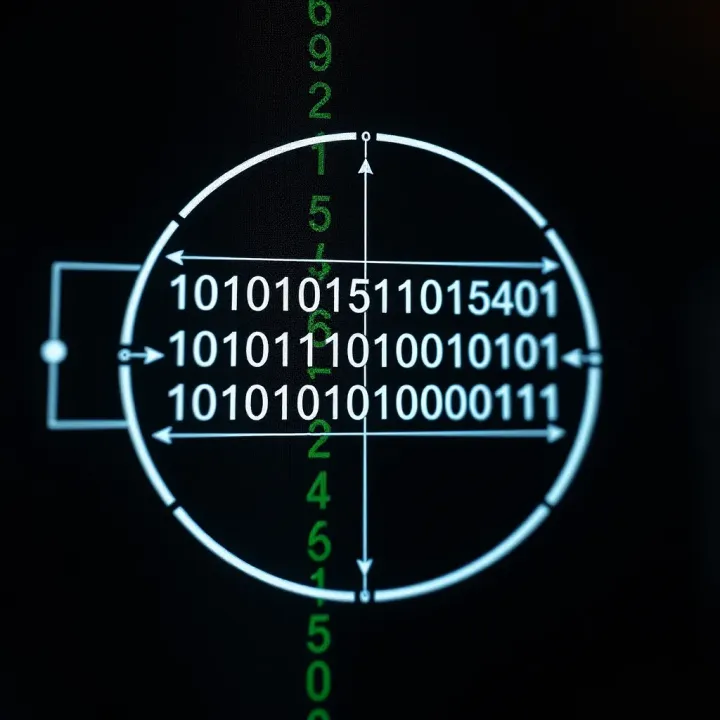
In binary, each digit (called a bit) represents an increasing power of two, starting from the right. For example, the binary number 1011 represents:
1 × 2³ (8)
0 × 2² (0)
1 × 2¹ (2)
1 × 2⁰ (1)
Adding these up gives 11 in decimal. This straightforward positional system allows complex data to be stored and manipulated efficiently.
Binary calculators simplify calculations like addition, subtraction, multiplication, and division using binary digits. They convert decimal inputs into binary internally or accept binary input directly. For example, if you add binary 1101 and 1011, the calculator will provide the binary result 11000, which corresponds to decimal 24.
Programming: Quickly verify binary operations while coding in low-level languages like Assembly.
Digital Electronics: Engineers use binary calculations to design circuits and troubleshoot digital systems.
Data Conversion: Transforming decimal data into binary and vice versa is useful for working with computer memory addresses and processor instructions.
Cryptography: Helps in understanding bitwise operations crucial for encryption algorithms.
Many free online tools allow you to perform binary calculations and number conversions instantly. They support:
Binary to decimal and decimal to binary conversion
Bitwise operations (AND, OR, XOR)
Arithmetic operations like addition and multiplication
Such tools are accessible on any device and require no installation, helping learners and professionals save time.
By mastering the use of binary calculators, you gain a solid ground for understanding the inner workings of digital devices and software, an advantage in many tech-focused careers.
Understanding binary numbers is vital for anyone dealing with computing, digital electronics, or programming. Since computers operate on binary data, grasping this system helps you make sense of how digital devices work and perform calculations efficiently.

Binary numbers use only two digits: 0 and 1. These digits, called bits, represent the fundamental units of data in digital systems. Each bit can be thought of as a switch that is either off (0) or on (1). Binary numbers are structured similarly to the decimal system but base 2 rather than base 10. For example, the binary number 1010 equals 10 in decimal.
Compared to the decimal system, which we use daily and involves digits from 0 to 9, binary is simpler in its digit variety but can express any number by combining bits. While this might seem limiting at first, computers use binary because it aligns nicely with their electronic architecture.
The reason computers use binary lies in hardware design. Digital circuits have two stable states, representing 0 and 1, which makes binary the natural choice for reliability and simplicity. This approach minimizes errors that could arise from trying to detect multiple voltage levels, as might be needed for a decimal system.
Binary signals in electronics are essential because they correspond directly to two voltage levels: high and low. Logic gates, such as AND, OR, and NOT gates, manipulate these binary signals to perform operations. This forms the foundation of all digital computing and circuit design.
Data in a computer is stored using binary encoding, where each bit corresponds to a position in memory. For example, in a 1-byte memory cell (8 bits), each bit represents a power of two, and combined they define values from 0 to 255. This way of structuring data makes processing efficient and predictable.
Binary's influence goes far beyond the computer itself. Everyday technologies—mobile phones, digital watches, online banking systems—rely on binary data processing. Even the simplest smartphone functions depend on binary logic to perform tasks like network communication or video playback.
Grasping the basics of binary numbers is not just academic; it's the key to understanding how almost all digital devices work today.
By learning binary, you’re better equipped to use binary calculators effectively, interpret computer data, or troubleshoot electronic devices. Whether you are an investor analysing tech stocks or a student preparing for exams, a solid grasp of binary principles adds real value.
Binary calculators are essential tools for anyone working with digital systems or learning computer science basics. They simplify operations involving binary numbers, which are the backbone of modern computing. Understanding how these calculators function helps you handle binary arithmetic accurately, whether in programming, hardware design, or data analysis.
A binary calculator is a device or software that performs calculations using the binary number system, which includes only two digits: 0 and 1. Unlike decimal calculators, binary calculators deal exclusively with base-2 numbers, essential in computing because all digital devices operate on binary data.
The purpose of a binary calculator is straightforward: it helps users perform various arithmetic operations in binary without manually converting numbers to decimal and back. For example, a programmer debugging binary logic or a student learning computer architecture benefits greatly from quick binary calculations.
Binary calculators come in different forms. Manual calculators are physical devices or paper-based tables, useful for simple tasks or educational purposes. Software-based calculators are installed on computers and offer more features, such as handling longer binary strings or complex boolean operations. Online tools are the most accessible today, letting users input binary numbers quickly and get results through web browsers without installing anything.
Binary calculators perform the four basic arithmetic operations: addition, subtraction, multiplication, and division using binary rules. For instance, adding 1011 (11 in decimal) and 1101 (13 in decimal) involves carrying over just like decimal addition but only with 0s and 1s. These calculators automate such steps, avoiding mistakes common in manual binary math.
Results from binary calculations are typically represented as binary strings. Sometimes, depending on the calculator, results can be shown in decimal, hexadecimal, or octal formats for easier interpretation. This flexibility helps users verify results or convert between number systems used in programming and digital electronics.
Error handling in binary calculators is crucial because binary operations can easily exceed fixed bit-lengths, leading to overflow errors. For example, adding two large binary numbers might produce a result longer than the calculator supports. Good binary calculators warn users of overflow or invalid input formats. However, limitations still exist—such as handling signed vs unsigned numbers, or negative numbers represented in two’s complement—which users should keep in mind to avoid incorrect results.
Practical use of binary calculators saves time and prevents errors, especially in coding and digital circuit design, making their understanding vital for students and professionals alike.
In summary, knowing what binary calculators are, their types, calculation methods, and limitations equips users to leverage these tools effectively in technology and education.
Understanding how binary and decimal systems differ is essential for anyone working with computers, programming, or digital electronics. Binary calculations form the core of computer operations, while decimal calculations are what we use daily. Comparing these systems helps clarify why computers handle numbers differently and why specialised tools like binary calculators are necessary.
Decimal numbers use base 10, meaning there are ten unique digits (0 to 9), and each digit's place value increases by powers of ten. For example, in the number 345, the digit 3 represents 3×10² or 300. Binary uses base 2, so it has only two digits: 0 and 1. Each digit’s place value increases by powers of two. For instance, the binary number 1011 equals 1×2³ + 0×2² + 1×2¹ + 1×2⁰, which is 8 + 0 + 2 + 1 = 11 in decimal.
This difference is crucial in computing since electronic circuits naturally work with two states, on or off, making base 2 a natural fit. However, humans find base 10 easier to understand because of habitual use in everyday life.
In both systems, the position of the digit defines its significance, but the base changes how place value grows. For decimal, moving one place to the left multiplies the digit’s value by 10; in binary, it multiplies it by 2. Hence, a binary number can have more digits than a decimal number to represent the same quantity. For example, the decimal 255 is 11111111 in binary (eight digits).
Knowing this helps when converting between systems manually or verifying binary calculator outputs. It also explains why binary arithmetic can become lengthy and why calculators play a vital role in avoiding errors.
Consider adding two small numbers: decimal 7 + 5. In decimal, you add 7 and 5 to get 12 directly. In binary, 7 is 111 and 5 is 101. Adding:
111
101 1100
The result is 1100 in binary, equal to 12 decimal. This example shows that while binary addition follows similar carry rules like decimal, the limited digit set (0 and 1) requires careful place-by-place addition.

#### Common challenges in binary arithmetic

Binary calculations can get tricky due to longer digit strings and frequent carryovers. Problems like overflow occur when the bits available aren’t enough to hold the result. For instance, adding two 4-bit binaries sometimes results in a 5-bit outcome, which standard 4-bit registers can’t handle.

Another challenge is subtraction and division, which require techniques like two's complement representation or repeated subtraction that can confuse beginners. Mistakes often happen when mixing number bases without proper conversions, leading to unexpected results.

> Always double-check which number system you're working with to avoid confusion, especially when using binary calculators or programming.

Understanding these differences and challenges improves accuracy when handling digital calculations, whether during financial modelling, software development, or hardware design. Mastery over both systems offers an edge, especially in fields like algorithm analysis or debugging low-level code.

## Using Online Binary Calculators for Practical Applications

Online binary calculators have become handy tools for anyone working with binary numbers, especially students, investors dabbling in tech, and analysts dealing with digital data. They save time and reduce errors by automating binary calculations that can otherwise be tedious manually. Whether you're converting numbers for a quick check or debugging programming logic, these calculators provide practical benefits that make handling the binary system simpler and more accessible.

### Types of Online Binary Calculators Available

**Converters between binary and decimal/hexadecimal** help users switch between the binary system and more familiar number bases. For example, an investor analysing machine performance might need to translate binary-coded data into decimals to interpret it easily. These converters also support hexadecimal, which is often used in programming and computer memory addressing. Quick and accurate conversions make this type of calculator useful in education and tech roles.

**Binary arithmetic calculators** perform operations like addition, subtraction, multiplication, and division on binary numbers. Such tools are crucial when wrapping your head around binary maths for exams or developing logic in software. They handle carry-overs and borrowings automatically, helping beginners avoid mistakes. Traders or analysts working with low-level data formats also find these handy for verifying calculations rapidly.

**Logic gate and boolean algebra calculators** assist in designing and testing digital circuits by evaluating Boolean expressions or simulating logic gate outputs. Engineering students and hardware designers use these calculators to simplify complex logical expressions or to predict circuit behaviour. For example, checking the output of an AND gate or verifying the simplification of a logic function becomes straightforward, which is crucial during hardware testing phases.

### Step-by-Step Guide to Using an Online Binary Calculator

**Inputting binary numbers** typically requires you to enter digits consisting of only 0s and 1s. Accurate input is vital—mistyping a digit changes the whole value. Some calculators also allow pasting binary code from files or other sources, making it easy when dealing with long binary strings such as in networking or cryptography.

**Selecting the operation** means choosing what calculation you want the tool to perform: conversion, addition, subtraction, or logic evaluation. This step usually involves dropdown menus or radio buttons. Picking the correct operation ensures the output matches your goals, whether it’s translating a number or performing arithmetic.

**Interpreting the output** requires understanding the results displayed. Most online calculators show both the binary result and its decimal or hexadecimal equivalents for clarity. Knowing these helps confirm your calculations or guides further problem-solving, like debugging code or verifying data transmission.

> Always double-check outputs, especially when dealing with bit-length limits or overflow, to avoid misinterpretations.

### Applications in Education and Industry

**Learning binary arithmetic** becomes less daunting with online calculators. Students can focus on understanding concepts rather than struggling with manual binary arithmetic rules. For instance, practising addition or subtraction step-by-step while checking answers instantly reinforces learning.

**Programming and debugging** benefit from these calculators when developers convert values or test binary logic used in conditions and flags. Programmers working with bitwise operations, such as masking or shifting bits, often use online calculators to verify their code logic and fix errors faster.

**Hardware design and testing** involve simulating binary circuits or boolean functions before physical implementation. Engineers can model how signals flow through gates or validate timing sequences using these calculators. This reduces costly mistakes during prototyping and enhances product reliability.

In all, online binary calculators offer a practical bridge between theory and real-world application, supporting diverse users from students to tech professionals in India and beyond.

## Limitations and Common Misconceptions About Binary Calculators

Binary calculators are powerful tools for dealing with binary numbers, yet they come with certain limitations and common misunderstandings that users should be aware of. Knowing these helps avoid errors and makes the calculator more effective, especially for traders, analysts, and students who rely on accurate calculations.

### Potential Errors and How to Avoid Them

**Input errors and incorrect formatting** often lead to wrong outcomes in binary calculations. A common mistake is entering digits other than 0 or 1, such as 2 or 9, which are invalid in binary. For example, typing '1021' will either cause the calculator to reject the input or produce an error. Ensuring that you enter each binary number correctly, without spaces or extra characters, is crucial for accurate results.

Besides wrong digits, using incorrect formatting like mixing binary with decimal or hexadecimal digits can confuse the calculator. Always confirm the input format before calculation — many online tools provide options to specify the base (binary, decimal, hex). This step prevents misunderstandings in number representation.

**Overflow and bit-length issues** present another significant challenge. Binary calculators often operate within a fixed bit-length, such as 8-bit or 16-bit. This means the calculator can only handle numbers up to a certain size. Exceeding this limit causes an overflow, leading to incorrect or truncated results.

For instance, when adding two 8-bit binary numbers whose sum exceeds 255 (the maximum for 8 bits), the calculator may either wrap the result around or display an error. This behaviour is important to know if your calculations involve large numbers or if you work with fixed-width binary registers in computer hardware or programming.

### Misunderstanding Binary Calculator Outputs

**Interpreting results without decimal conversion** is a common source of confusion. Binary numbers can look intimidating and unintuitive, especially when they run long. Seeing an output like '110101' without converting it to decimal may leave users unsure of its actual value.

It helps to immediately convert binary results into decimal or hexadecimal to understand the magnitude of the number. Some binary calculators provide this option by default, which traders and investors might find valuable for quick decision-making based on numeric values that make sense in their usual counting system.

**Mixing number bases** is another pitfall when working with binary calculators. Sometimes, users input a number in decimal but treat the output as binary, or vice versa. For example, entering '10' assuming decimal but the calculator reads it as binary will yield different results.

To avoid this, always check the base of your input and output. Specify clearly if you are working with binary, decimal, or hexadecimal throughout your calculations. For programming and digital electronics students, clarity on base prevents bugs and misunderstandings during coding or circuit design.

> Ignoring these limitations can lead to errors and misinterpretations, hampering the practical use of binary calculators in finance, programming, and education.

By understanding and managing these common issues, you can make the most of binary calculators while reducing the chance of mistakes in your work.Learn how binary search swiftly locates elements in sorted arrays by halving intervals each time. Master its logic, coding techniques, efficiency, and tips for smooth implementation 📊🔍

🔍 Understand how binary search efficiently locates elements in sorted arrays by halving search intervals. Learn its implementation, benefits, and key applications in programming.

🔍 Understand binary search clearly! Learn how this efficient method halves sorted lists to find items quickly, with practical examples and handy tips for programmers.
Discover how the binary search method works by dividing sorted lists efficiently 🔍 Learn its benefits, drawbacks, coding tips, and relevance for Indian programmers 🇮🇳
Based on 8 reviews